Water Eject – Remove Water from iPhone Speaker Online
Use our online Water Eject tool to play a low-frequency tone that may help move small water droplets away from an iPhone or Android speaker grille. The tool runs in your browser, requires no app, and is free to use. Results vary by device and by the amount of moisture present.
Enjoy this tool? Consider Buying me a coffee!
🎵 Water Eject Tool
Select a preset and play the tone briefly to help move moisture near your phone speaker grille.
Quick Start Guide
- Select the recommended 175 Hz frequency or try other presets
- Set volume to 60-80% (avoid maximum volume)
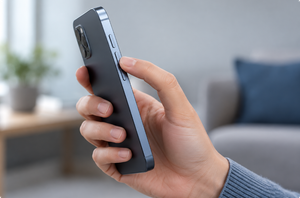
- Click "Play Tone" and hold speaker facing downward
- Play for 3-5 seconds, then stop and check
- Repeat 2-3 times if water remains
How to Remove Water from iPhone Speaker Using Sound Frequency
Water damage is one of the most common issues smartphone users face. Whether you've dropped your iPhone in the sink, got caught in rain, or accidentally spilled water on your Android phone, moisture trapped in the speaker can cause muffled sound or even permanent damage. Our Water Eject tool offers a simple, free solution to remove water from your phone speaker using sound frequency technology.
What is Water Eject and How Does It Work?
Water Eject is a technique that uses specific low-frequency sound waves (typically between 165-190 Hz) to create vibrations that physically push water droplets out of your phone's speaker grills. When you play these frequencies at moderate volume, the sound waves cause rapid air pressure changes that effectively expel moisture from tight speaker cavities.
This method became popular after Apple introduced a similar feature in iOS through the Shortcuts app. However, our web-based tool works on any smartphone - iPhone, Samsung, Google Pixel, OnePlus, and more - without requiring any app installation.
Step-by-Step Guide to Eject Water from Phone Speaker
Follow these simple steps to remove water from your iPhone or Android speaker:
- Step 1: Open this Water Eject tool on your phone's browser
- Step 2: Select the 175 Hz preset as a starting point, or try another preset if playback remains clear and undistorted.
- Step 3: Set volume to 60-80% - never use maximum volume
- Step 4: Hold your phone with speaker facing downward
- Step 5: Press "Play Tone" and let it run for 3-5 seconds
- Step 6: Gently shake the phone to help water drain
- Step 7: Repeat the process 2-3 times if needed
Does Water Eject Work on iPhone?
A low-frequency tone may help move small droplets near an iPhone speaker grille, but results vary by model and by the amount of moisture present. Water resistance does not prevent water from temporarily affecting speaker sound, and it is not permanent. If the iPhone was submerged, displays a liquid-detection alert, or continues to malfunction, follow Apple's official drying guidance instead of relying only on a sound tool.
Does Water Eject Work on Android?
The tone can play in most modern Android browsers, including browsers on many Samsung Galaxy, Google Pixel, OnePlus, Xiaomi, and Motorola phones. Results vary by model, speaker design, and moisture level. Some manufacturers provide their own speaker-cleaning feature, while others do not, so check your device's official support information after significant water exposure.
Why Try a Low-Frequency Tone?
There is no independently established universal frequency that works best for every phone. A low-frequency tone may create visible speaker movement and can be used as a practical starting point. Speaker design, grille shape, device volume, and moisture level all affect the result.
- Lower tones may produce more visible speaker movement on some devices.
- Different phones may respond differently to the same frequency.
- Moderate volume is safer than distorted or maximum-volume playback.
- A frequency sweep can be tried if a fixed tone does not produce clear, undistorted movement.
- Higher volume or longer playback is not necessarily more effective.
Web-Based Water Eject Tone vs Community-Created iPhone Shortcuts
iPhone does not include an official built-in Water Eject control. Some community-created Shortcuts play tones for this purpose, but they are not official Apple repair tools. A browser-based tool provides similar access to an adjustable tone without requiring a Shortcut to be installed.
- No installation required: Runs in a modern browser
- Cross-platform access: Can play on many iPhone and Android browsers
- Adjustable controls: Change frequency and duration
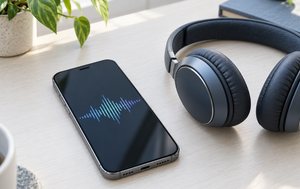
- Visual feedback: Displays the generated audio waveform
- Multiple modes: Choose a fixed tone or frequency sweep
Common Questions About Phone Water Removal
Alternative Water Removal Methods
A tone may help only with minor moisture near a speaker opening. Stop using the tool and consider manufacturer support or qualified repair if:
- Gravity method: Gently shake your phone while holding it speaker-down
- Air circulation: Place phone in front of a fan (not hot air) for natural drying
- Silica gel packets: Place phone in a container with silica gel for 24-48 hours
Prevention Tips: Keep Your Phone Speaker Dry
Prevention is always better than cure. Follow these tips to avoid water damage:
- Use a waterproof case when near water bodies
- Keep your phone away from sinks, bathtubs, and pools
- Check weather forecasts and protect your phone during rain
- Regularly inspect charging ports and speaker grills for debris
- Consider a phone insurance plan for added protection
Technical Specifications of Our Water Eject Tool
Our browser-based tool provides the following adjustable audio controls:
- Frequency range: 50-400 Hz (recommended: 165-190 Hz)
- Waveform: Pure sine wave for smooth vibrations
- Duration control: 1-10 seconds per session
- Volume control: Use your device controls, start low, and stop if playback becomes distorted
- Sweep mode: Progressive frequency sweep from 150 Hz to 400 Hz
- Real-time visualization: Audio waveform display for feedback
Why Choose Our Free Online Water Eject Tool?
The tool provides a simple way to try an adjustable speaker tone in a modern browser:
- ✅ Completely free - No paid subscription is required
- ✅ No app download - WRuns directly in a modern browser
- ✅ No account required - Start without creating an account
- ✅ Adjustable controls - Change the frequency and duration
- ✅ Multiple modes - Choose a fixed tone or frequency sweep
- ✅ Privacy information - Basic usage data may be processed for analytics and advertising as explained in our Privacy Policy
What to Expect
Some users notice clearer speaker sound after a short tone, while others need to wait for moisture to evaporate naturally. Results vary by phone model and by the amount and location of the moisture. If sound does not improve, repeated high-volume playback is not recommended. Give the device time to dry and seek qualified service if problems continue.
When to Seek Professional Help
A short tone is one option for minor moisture near the speaker grille. The following low-risk steps may also help while the device dries naturally:
- Your phone was submerged for more than 30 seconds
- The device won't turn on after water exposure
- You notice screen discoloration or flickering
- Buttons or touchscreen become unresponsive
- The phone was exposed to saltwater or other liquids
- Water eject doesn't improve sound quality after multiple attempts
Final Takeaway: Try the Water Eject Tone Carefully
A short, moderate-volume Water Eject tone may help move small droplets near an iPhone or Android speaker grille, but results vary and the tool cannot repair liquid damage. Start at a low volume, keep the affected speaker facing downward, and stop if playback becomes distorted.
Allow time for natural drying and follow the device manufacturer's guidance if the phone was submerged, displays a liquid-detection alert, becomes hot, will not turn on, or continues to malfunction. The browser-based tool is free to use, but it is not a substitute for professional repair.
Fix My Speaker – Guides & Tips
Learn how to fix speaker sound issues, remove water, and clean your iPhone or Android speakers with our expert tips.