
“Water eject” usually means playing a controlled sound through a device’s speaker to help move a small amount of water near the speaker opening. The speaker diaphragm vibrates, and that movement may shift droplets close to the exterior grille.
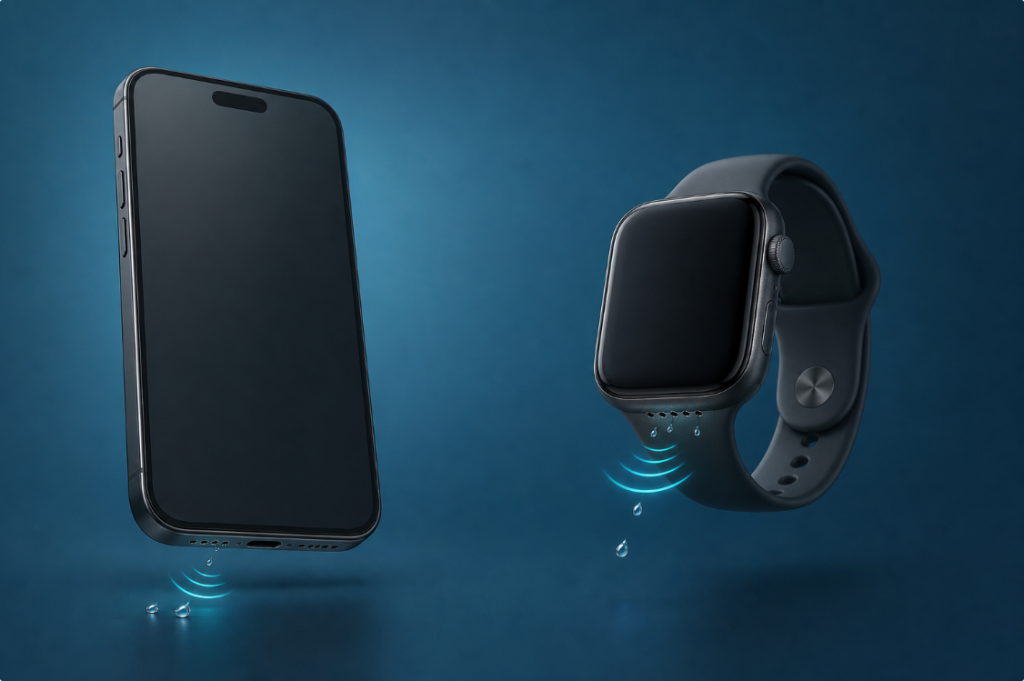
The term does not mean that the whole phone is pumped dry. It does not remove water from a charging port, microphone, battery, camera, or circuit board, and it does not repair liquid damage.
On Apple Watch, Water Lock is an official feature with two related functions: it prevents unintended screen taps while you are in water, and when you turn it off, the watch plays tones to clear water remaining in its speaker.
Water Eject Meaning in Different Contexts
| Where you see the term | What it usually means | Important limit |
|---|---|---|
| A browser-based phone tool | Plays a tone or frequency sweep through the phone speaker | May affect only a small droplet near a working speaker |
| Apple Watch Water Lock | Locks touch input; turning it off plays tones from the watch speaker | It is not a whole-watch drying or repair system |
| A phone shortcut or automation | Opens or plays a chosen sound sequence | The shortcut itself does not detect internal water |
| A manufacturer’s speaker-cleaning setting | Runs an audio routine on supported models | Availability and instructions vary by model and software |
| A video claiming “one-tap water ejection” | Usually starts a sound with one tap | “One tap” describes the control, not a guaranteed result |
Because the same phrase is used for different tools, check the device model and the source of the feature before following instructions.
How a Speaker Tone May Move Water
A phone or watch speaker creates sound by moving a small diaphragm back and forth. That movement changes air pressure. If a droplet is resting on or very near the outer speaker mesh, vibration, airflow, surface tension, and gravity may work together to shift it.
This is a limited mechanical effect, not suction. Results vary because devices have different speaker shapes, grille materials, acoustic chambers, output limits, and water paths. The amount and type of liquid also matter.
A controlled tone can therefore be a reasonable optional step for a wet but functioning speaker after you have wiped the exterior. It should not be presented as proof that the device is dry.
What Does “One Tap Water Ejection” Mean?
“One tap water ejection” usually means that pressing one button starts a preset tone, sweep, or shortcut. It describes how easily the sound begins.
It does not mean:
- the phone can locate water automatically;
- one cycle always removes every droplet;
- the charging port and microphone are being cleaned;
- internal moisture has disappeared;
- the device is safe to charge immediately;
- a damaged speaker has been repaired.
If the button is on a website, the website is normally playing audio through the browser. It does not gain physical access to the inside of the phone.
What Water Eject Can and Cannot Do
It May Help With
- a small fresh-water droplet near a functioning speaker grille;
- temporarily muffled speaker audio after a light splash;
- comparing speaker sound before and after one short, controlled cycle;
- the Apple Watch speaker when using Apple’s documented Water Lock process.
It Cannot Reliably Do
- dry a charging connector;
- push water out of a microphone;
- remove salt, sugar, soap, pool chemicals, or residue;
- reverse corrosion;
- repair a torn or failed speaker;
- make a non-water-resistant device water-resistant;
- confirm that the battery or circuit board is dry;
- replace manufacturer support after submersion or broader device failure.
If the phone has no sound at all, first rule out volume, Bluetooth routing, the case, app settings, and hardware problems with the phone speaker no-sound checklist.
Water Eject on a Phone
A browser water-eject tool plays a test sound through the selected audio output. For it to have any possible effect, the phone speaker must still work, the browser must actually route sound to that speaker, and the moisture must be close enough to the speaker opening.
A cautious process is:
- Disconnect charging cables and wired accessories.
- Remove a case that traps moisture or blocks the speaker.
- Wipe the exterior with a soft lint-free cloth.
- Hold the affected speaker facing downward.
- Open the Water Eject Sound tool.
- Start at a controlled volume and run one short cycle.
- Stop if you hear sharp crackling, scraping, or irregular mechanical rattling.
- Allow room-temperature drying time, then test spoken audio.
Do not keep playing the sound indefinitely. If a limited attempt does not help, the cause may be residue, deeper moisture, blocked mesh, software routing, or hardware damage.
The guide to water in a phone speaker covers the full drying and testing sequence.
Water Eject on Apple Watch
Apple calls the related feature Water Lock. When Water Lock is on, the display does not respond to taps, which helps prevent accidental input in water. It can turn on automatically during certain water-based workouts.
According to Apple’s current instructions:
- Press the side button to open Control Center.
- Tap the Water Lock button to turn it on.
- When finished, press and hold the Digital Crown until the display says “Unlocked.”
- The watch plays a series of tones to clear water that remains in its speaker.
If the watch uses watchOS 8 or earlier, Apple says to rotate the Digital Crown instead of pressing and holding it.
The water-drop icon means Water Lock is active and the screen will not respond normally to taps. It does not mean the watch has detected dangerous internal water. See the complete Apple Watch water-eject guide for the model and safety context.
Is There an iPhone Water Eject Mode?
Apple documents Water Lock and speaker ejection for Apple Watch. In its current iPhone wet-device guidance, Apple instead tells users to wipe the iPhone, hold the connector facing downward to remove excess liquid, and leave the phone in a dry area with airflow. Apple does not present that iPhone guidance as an equivalent built-in Water Lock control.
Some iPhone users run a browser tone or a user-created shortcut. Those methods play audio through the speaker; they do not turn the iPhone into an Apple Watch-style system feature.
For shortcut-related intent, see how to turn on water eject, and always treat the tone as an optional speaker step rather than a full-device drying command.
Is Water Eject the Same as Water Lock?
No.
- Water Lock controls touch input on Apple Watch while the watch is in water.
- Water eject describes the speaker-tone step that occurs when Water Lock is turned off.
People often use the terms interchangeably because the two actions are connected on Apple Watch. On a phone website, however, a water-eject button generally plays sound and does not lock the display.
Is Water Eject Safe?
No audio method is risk-free in every situation. A short tone at controlled volume is different from repeated maximum-volume playback on a distorted or damaged speaker.
Stop and reassess if:
- the sound is sharply crackling, scraping, or cutting out;
- the phone or watch becomes hot;
- the device restarts or the display changes;
- charging, cameras, buttons, or wireless connections also fail;
- the liquid was salty, sugary, soapy, or chemically contaminated;
- the device was submerged rather than lightly splashed.
The article do speaker-cleaner apps work? explains why results depend on the location of the water and the condition of the speaker.
Why There Is No Guaranteed “Best Frequency”
Online instructions often name one exact frequency as if it works for every speaker. In reality, phone and watch speakers differ in enclosure shape, resonant behavior, grille design, software processing, and output limits.
A frequency that produces visible movement on one device may be limited, distorted, or ineffective on another. Sweeps explore more than one movement pattern, but they still cannot reach moisture in every part of a device.
The useful question is not “Which number guarantees success?” It is “Is this a small droplet near a functioning speaker, and can I test one controlled cycle without ignoring the wider signs of liquid damage?”
See what frequency removes water from speakers for a more detailed explanation.
When Not to Use a Water-Eject Tone
Do not make a tone your first priority when:
- the phone is connected to power or reports liquid in the connector;
- the device is hot, unstable, or repeatedly restarting;
- the battery is swelling;
- there is no speaker output at all;
- the screen, cameras, or buttons also changed after liquid exposure;
- the device was exposed to salt water, pool water, soda, soap, or chemicals;
- the manufacturer tells you to follow a different model-specific process.
In those cases, disconnect power, follow the manufacturer’s drying instructions, and consider qualified service. A tone cannot replace electrical safety or remove residue.
Frequently Asked Questions
Does water eject remove all water from a phone?
No. It may move a small amount of water near a working speaker opening. It does not dry the whole phone.
Does water eject work on the microphone?
Not directly. The tone is produced by a speaker. A microphone receives sound and has a different role. Follow the dedicated guide for water in a phone microphone after that new page is published.
Why does a water-eject tone sound like buzzing?
It may use a steady low-frequency tone, a sweep, or pulses rather than music. That can sound mechanical. Sharp scraping, irregular crackling, heat, or instability are reasons to stop.
Does the Apple Watch water-drop icon mean the watch is damaged?
No. Apple says the icon indicates that Water Lock is on and the display will not respond to taps. Press and hold the Digital Crown to turn it off on current watchOS versions.
Should I repeat water eject until the sound is perfect?
No. Use a limited, controlled attempt, allow drying time, and compare the same spoken audio. Repetition cannot fix residue, corrosion, or hardware damage.
Can I charge immediately after using water eject?
No. Speaker playback does not prove that the charging connector is dry. Follow the device manufacturer’s wet-connector guidance.
Is water eject built into every phone?
No. Availability varies by manufacturer, model, and software. A browser tool or user-created shortcut is not the same as a built-in system feature.