
Water in a phone microphone can make your voice sound quiet, muffled, distant, or distorted during calls and recordings. The safest first response is to disconnect cables, remove the case, wipe the exterior with a soft lint-free cloth, and let the phone dry in a ventilated place at room temperature.
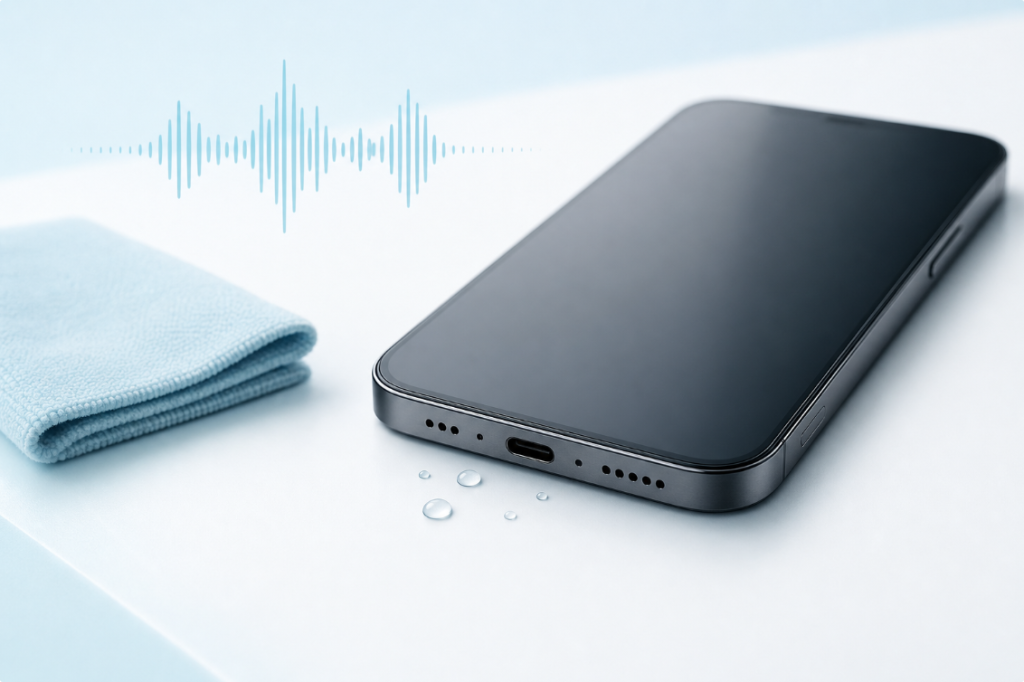
Do not push a pin, cotton swab, paper towel, or brush into a microphone hole. Do not use heat or compressed air. A water-eject tone plays through a speaker, so it may help a small droplet near a working speaker grille but does not directly clean or dry a microphone.
Quick Steps
- Remove the phone from the liquid and disconnect all cables.
- Turn it off if it was submerged, is behaving abnormally, or has a wet charging port.
- Remove the case and other accessories.
- Blot the exterior with a clean, soft, lint-free cloth.
- Hold the phone so the wet opening faces downward, without forceful shaking.
- Leave it in a dry place with gentle room-temperature airflow.
- When the exterior is dry, compare a voice memo, normal call, speakerphone call, and front/rear video.
- Seek qualified service if several functions fail, the phone becomes hot, or the microphone does not improve after adequate drying time.
Is the Microphone Wet, or Is Something Else Wrong?
Phones often have more than one microphone. A main microphone may sit near the bottom edge, while other microphones support video recording, speakerphone calls, and noise reduction. Google, for example, documents multiple microphones in different positions on Pixel phones and notes that recording quality can depend on the app being used.
That is why one failed test does not prove that every microphone is damaged.
| Symptom | More likely area to check | Useful comparison |
|---|---|---|
| Other people cannot hear you on a normal call | Bottom microphone, case, cellular call path | Voice memo and speakerphone call |
| Speakerphone callers hear you, but normal callers do not | A particular microphone or call mode | Normal call versus speakerphone |
| Voice memos sound clear, but one app is muffled | App permission, app processing, or Bluetooth routing | Record with two different apps |
| Front-camera video is clear but rear-camera video is not | A microphone used by one camera mode | Record the same sentence with both cameras |
| You hear others poorly, but they hear you clearly | Earpiece or speaker, not necessarily the microphone | Play a spoken recording |
| All audio changed immediately after a splash | Moisture near more than one opening | Dry first, then repeat the same tests |
Before blaming water, remove the case, disconnect Bluetooth audio, and make sure your hand or screen protector is not covering an opening.
Why a Wet Microphone Sounds Muffled
A microphone converts small changes in air pressure into an electrical signal. A droplet or wet mesh near its exterior opening can interfere with the air path. Your voice may then lose clarity or sound as if it is behind a layer of fabric.
The result can vary by app because phones use different microphones and audio processing for calls, voice recording, video, noise reduction, and voice assistants. Residue from salt water, soda, soap, or another contaminated liquid can remain after the water evaporates and continue to block an opening.
Water resistance does not make a phone waterproof forever. Seals can become less effective through wear, drops, repairs, or age. Treat any water-resistance rating as protection under specified test conditions, not permission to keep using a wet phone normally.
How to Get Water Out of a Phone Mic Safely
1. Disconnect Power and Accessories
Unplug charging cables, wired headphones, adapters, and other accessories. Do not reconnect a cable while the connector is wet or while the phone displays a liquid warning.
If the phone was submerged, restarted unexpectedly, became hot, or shows display or camera problems, turn it off. A simple splash on a water-resistant phone may not require emergency repair, but several simultaneous symptoms deserve more caution than a single muffled recording.
2. Remove the Case
A case can trap water against microphone, speaker, or port openings. Remove it and dry the case separately. Also remove any accessory or protective film that overlaps an opening.
Do not open the phone or remove screws. Opening a modern phone can damage seals and create additional risk.
3. Blot the Exterior
Use a clean, soft, lint-free cloth to absorb visible moisture. Pat around the microphone, earpiece, external speaker, and charging port. Do not press material into any opening.
Apple recommends wiping a wet iPhone with a soft lint-free cloth. Samsung likewise advises drying the earpiece, primary microphone, external speaker, and USB port with a clean soft cloth.
4. Let Gravity and Airflow Help
Hold the phone so the suspected wet opening faces downward. Use gentle movement only. Then place the phone in a dry area with airflow at room temperature.
Cool airflow can support evaporation. Heat can damage adhesives, seals, the battery, or the display. Compressed air can force liquid or debris farther into the phone.
5. Wait Before Testing
There is no honest universal drying time. It depends on the phone design, amount and type of liquid, temperature, airflow, and whether moisture reached only an exterior mesh or went deeper.
Repeatedly recording at full volume does not speed evaporation. Give the phone time, then run a short, controlled comparison.
How to Test the Microphones
Use the same sentence and speak from the same distance for each test.
Voice Memo
Record 10 to 15 seconds in the phone’s built-in recorder. Play it at a moderate volume. Listen for low volume, missing high-frequency detail, intermittent sound, or heavy distortion.
Normal Phone Call
Ask another person whether your voice is clear during a normal call. A network problem can also affect call quality, so compare the result with a local recording.
Speakerphone Call
Switch to speakerphone and repeat the sentence. If the result changes substantially, the phone may be using a different microphone or processing path.
Front and Rear Video
Record one short video with each camera. Some phones use different microphone combinations depending on the camera and app.
A Second App
If only one app sounds bad, check its microphone permission, update it, close it, and compare another app. Also turn Bluetooth off temporarily so the phone does not record from a connected headset.
Can a Water-Eject Sound Clear a Phone Microphone?
Not directly. A water-eject tool sends a tone through the phone’s speaker. Speaker diaphragm movement may disturb a small droplet near that speaker’s exterior grille. A microphone is an input component; it does not play the tone outward.
The vibration from nearby speaker playback might coincide with a change in a surface droplet, but that is not a reliable microphone-cleaning method and should not be described as one.
Use a speaker tone only for a wet, functioning speaker and only as one limited step after exterior drying. The guide to water in a phone speaker explains the speaker-specific process. If your main problem is that you cannot hear sound, use the phone speaker troubleshooting guide instead.
What Not to Do
- Do not insert a SIM tool, pin, toothpick, cotton swab, or paper into a microphone opening.
- Do not use a hair dryer, heater, oven, or direct sunlight as a drying method.
- Do not use canned or compressed air.
- Do not charge through a wet connector.
- Do not bury the phone in rice; particles can enter openings and rice does not remove residue.
- Do not play long tones at maximum volume.
- Do not repeatedly restart a phone that becomes hot or unstable.
- Do not assume an IP rating means liquid damage is impossible.
For safe exterior debris removal after the phone is fully dry, see how to clean a phone speaker. The same rule applies: clean only the exterior and never push debris inward.
Fresh Water, Salt Water, and Other Liquids
Fresh water exposure is different from salt water, pool water, soda, coffee, soap, or other liquids. After evaporation, these liquids can leave conductive, sticky, or corrosive residue.
Follow the manufacturer’s cleaning guidance for your exact model. Apple tells users to rinse the affected exterior area with tap water when a compatible iPhone is splashed by a liquid other than water, while Samsung provides its own instructions for supported Galaxy models exposed to salt water. These directions are model-dependent; do not rinse a device simply because another manufacturer recommends it.
If the phone was submerged in contaminated liquid or now has problems with charging, display, cameras, buttons, heat, or stability, skip repeated audio experiments and arrange qualified inspection.
When to Seek Repair
Contact the manufacturer or a qualified repair provider when:
- the microphone remains very quiet or distorted after the phone has had enough drying time;
- several microphones fail in different apps;
- the charging port continues to report liquid;
- the phone heats up, restarts, or loses battery unusually quickly;
- the screen, cameras, buttons, wireless connections, or speakers also changed;
- the phone was deeply submerged or exposed to salt, pool water, soda, soap, or chemicals;
- you can see corrosion or residue around an opening;
- clear audio briefly returns and then fails again.
If more than audio is affected, read what to do after dropping a phone in water and the guide to whether a water-damaged phone can be fixed.
Frequently Asked Questions
How long does a wet phone microphone take to dry?
There is no fixed time that applies to every phone. A small exterior droplet may clear sooner than moisture or residue below a mesh. Use symptom improvement and manufacturer guidance rather than a guaranteed countdown.
Why can callers not hear me after my phone got wet?
Water may be blocking one microphone opening, but a case, Bluetooth headset, app permission, call network, or damaged component can cause a similar symptom. Compare a local voice memo, normal call, speakerphone call, and front/rear video.
Should I shake my phone to remove water?
Avoid forceful shaking. Hold the affected opening downward and use only gentle movement if the manufacturer allows it. Force can move liquid into other areas or make you drop the device.
Can I use a hair dryer on the microphone?
No. External heat can harm the battery, adhesives, seals, and other components. Use room-temperature airflow.
Can I clean a microphone hole with a needle?
No. The opening may contain delicate mesh or components close beneath the surface. A needle can puncture, compact debris, or damage water-resistant structures.
Does a clear voice memo mean the phone is fully dry?
No. It only shows that the microphone used for that recording is currently producing usable audio. It does not prove that every microphone, connector, or internal component is dry.
Is microphone damage always permanent?
No. A temporary exterior droplet can cause muffling that improves as it evaporates. Persistent residue, corrosion, or component damage may require service.