
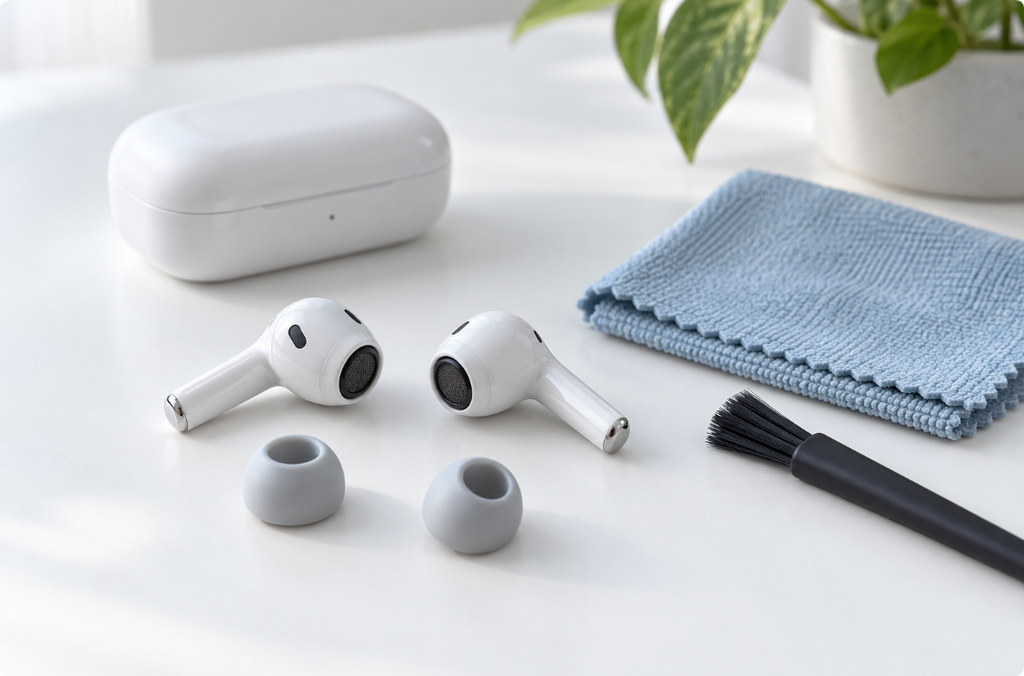
To clean earbuds safely, identify the exact model and separate the parts you are cleaning: removable tips, speaker mesh, outer body, and charging case. Follow the manufacturer’s process for each part rather than using the same liquid or brush everywhere.
Earwax, skin oil, and loose debris need a cleaning method suited to the surface. Loud audio is not a substitute for that process, and a water-resistance rating is not permission to wash the complete earbud.
Before You Pick Up a Cleaning Tool
Disconnect charging and remove the earbuds from the case. Work in good light on a clean surface. Look up the official cleaning instructions for the model name printed in your device settings, packaging, or manufacturer’s documentation.
If a mesh is torn, a tip is damaged, or the charging contacts look corroded, pause and seek support. Do not scrape away a suspected fault to see whether cleaning will solve it.
Only remove a tip that is designed to be removable. Do not detach the mesh, pry apart the body, or assume a foam tip can be treated like silicone.
Match the Method to the Part
| Part | What to confirm before cleaning |
|---|---|
| Removable tip | Material, attachment method, and whether washing is allowed |
| Speaker or vent mesh | The exact approved areas, tools, liquid, and drying instructions |
| Outer body | Which cloth and surface cleaner are permitted |
| Charging contacts | Whether the instructions allow exterior wiping and how to avoid abrasion |
| Case or charging port | Approved case care and restrictions around electrical openings |
This distinction prevents an instruction for one surface from becoming an unsafe instruction for the entire device.
1. Start with the Outer Body
For ordinary exterior care, use the manufacturer’s recommended cloth and gentle handling. Do not spray a product directly at an opening or clean the device while it is charging.
Different brands permit different materials. Google’s Pixel Buds guidance, for example, prohibits alcohol and certain chemical cleaners. Apple’s case-care directions allow limited alcohol use on a cloth in a specific context. Neither instruction should be extended to every earbud surface. Google Pixel Buds cleaning and Apple AirPods cleaning
If a mark does not lift with the approved method, stop rather than increasing pressure or concentration. Cosmetic discoloration is not a reason to damage the finish.
2. Clean Removable Tips Separately
Follow the tip-removal directions so you do not pull on the acoustic mesh or attachment stem. Keep left and right components organized if their fit differs.
If washing is permitted, use the specified method and keep detached parts away from the electronics. Dry them fully before reattaching. Foam and other materials may have different restrictions, so there is no universal soak-and-rinse recipe.
Check the tip for cracks and confirm that it attaches securely afterward. A worn or poorly seated tip can affect fit; vigorous cleaning cannot restore its original shape.
3. Use Model-Specific Mesh Instructions
Mesh care is the part most likely to be mishandled. Current official procedures for some AirPods and Pixel Buds models include carefully specified wet cleaning of selected meshes. A universal “dry brush only” rule would omit those procedures, while a universal “wash the mesh” rule would be equally misleading.
Open the diagrams for your exact model and follow the complete method, including which openings are included and the required drying process. Do not substitute an arbitrary solvent, sticky putty, abrasive, or tool just because a video uses it on another model.
This guide intentionally does not reproduce a deep-cleaning recipe across brands. The correct liquid and technique are part of the manufacturer’s instructions, not interchangeable household choices.
4. Treat Charging Contacts and the Case Separately
Inspect the contacts and case without scratching them. Do not pour cleaner into a charging well or probe the case’s charging port.
Use the approved exterior care for that component and allow it to dry before returning the earbuds. A case can be dry on the lid while moisture remains near a contact, so check the required drying instructions rather than relying on appearance alone.
If an earbud still does not charge, cleaning is only one possibility. A worn contact, battery issue, cable, or case fault may need separate troubleshooting.
5. Compare Playback Only After Care Is Complete
Once the parts are dry and reassembled according to the instructions, listen at low volume. Use the same known-clear recording in both earbuds and note whether the imbalance changed.
An improvement does not prove the whole device is undamaged. A continuing imbalance may involve fit, settings, the recording, or hardware. Do not keep cleaning a mesh that already appears clean to chase an unexplained symptom.
Can an Earphone-Cleaner Sound Remove Earwax?
Do not rely on it. Earwax and skin oil are not the same as a small surface droplet near a speaker. Playback cannot replace the specified physical cleaning of the affected surface.
Our explanation of what speaker-cleaner sounds can and cannot do discusses that distinction. Do not put earbuds in your ears and play harsh cleaning tones as a way to loosen contamination.
Cleaning After Sweat or Liquid Exposure
Do not immediately return wet earbuds to a charging case. Follow the exact-model drying and cleaning directions, especially if the liquid contained salt, soap, or sugar.
Avoid treating water resistance as a permanent guarantee or assuming that the case has the same rating as the earbuds. If the device becomes hot, unstable, or damaged, stop using and charging it and seek support.
Frequently Asked Questions
Can I clean earbuds with alcohol?
Only where the manufacturer permits it for the exact component. A method allowed on a case may be prohibited on the earbuds or mesh.
Can I rinse earbud tips?
Only if the tip material and model instructions allow it. Remove permitted tips first and keep any washing separate from the electronics.
How often should I clean earbuds?
Inspect them regularly and follow the manufacturer’s maintenance guidance. Sweat, visible debris, or a care reminder may justify cleaning; aggressive repeated treatment is unnecessary.
Why is one earbud still quiet after cleaning?
Compare fit, balance settings, and a known-clear recording. Persistent low sound is not proof that more debris needs scraping out.
Can I clean my ears with the same tools?
No. This guide concerns the device, not ear-canal cleaning. Keep device brushes and other tools out of your ears.
Official Sources
Editorial note: Materials, meshes, and approved methods differ by model. Consult the exact manufacturer’s guide before deep cleaning. The featured image is AI-generated.