
A speaker cleaner sound can sometimes move a small water droplet near a functioning phone speaker grille. It cannot vacuum dust, clean the charging port, remove internal moisture, or repair damaged hardware.
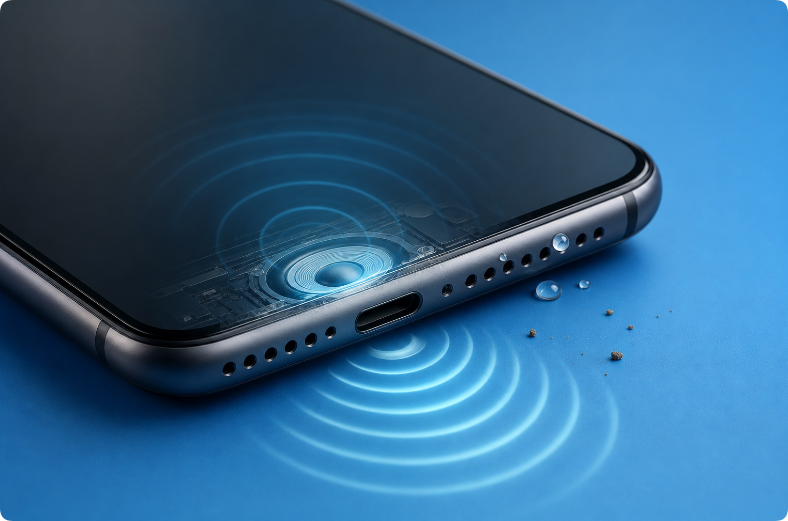
Most speaker-cleaning apps and websites do the same basic thing: they play a low-frequency tone or a frequency sweep through the phone speaker. The usefulness depends on the cause of the audio problem, not on whether the sound comes from an app or a browser.
Quick Answer
| Problem | Can a cleaning sound help? | Better first step |
|---|---|---|
| Muffled audio immediately after a light splash | Possibly, if a droplet is near the speaker grille | Disconnect power, wipe the phone, hold the speaker downward, then try a short tone |
| Dry dust or pocket lint on the grille | Not reliably | Use safe exterior cleaning approved by the manufacturer |
| Sticky residue from soda, coffee, or soap | No | Stop repeated sound cycles and seek device-specific cleaning advice |
| No sound at all | Usually no | Check volume, Bluetooth, apps, restart, and hardware symptoms |
| Crackling after a drop | No repair benefit | Stop loud tests and consider qualified service |
| Wet charging port | No | Disconnect the cable and follow manufacturer drying guidance |
The key question is not “Which app is strongest?” It is “What is blocking or damaging the speaker?”
How a Speaker Cleaner Sound Works
A phone speaker produces sound by moving a thin diaphragm back and forth. Low-frequency playback can create larger, slower movement than some higher-frequency sounds. If a small droplet is sitting close to the speaker opening, diaphragm movement combined with gravity may shift it toward the outside.
This is a mechanical effect at the speaker. The app does not scan the phone, absorb water, activate a hidden drain, or clean internal circuits.
For a deeper explanation of tone ranges and why there is no universal setting, read what frequency removes water from speakers.
Why Sound May Move Water but Not Dust
Water droplets can change shape and move when exposed to vibration. Dry dust and packed lint behave differently. Dust can lodge in fine mesh, mix with skin oil, or become compressed by previous cleaning attempts.
A speaker sound may shake loose a particle occasionally, but it is not a controlled dust-removal method. It can also create the false impression that louder or longer playback will “blast” dirt away.
For visible exterior debris, follow the safe phone-speaker cleaning guide instead of relying on sound alone.
App, Website, or Built-In Feature: What Is the Difference?
Browser-Based Tool
A browser tool plays audio without requiring installation. The free Water Eject Sound tool can be opened on the affected phone in a modern browser. The practical advantage is simplicity: the user can test a short tone without granting an app broad access.
Installed Cleaning App
An installed app may offer presets, timers, frequency controls, or instructions. Those interface features do not change the basic mechanism: the app still plays sound through the speaker.
Before installing any cleaning app, check:
- whether it comes from the official app store for the device;
- what permissions it requests;
- whether its privacy policy explains data collection;
- whether it uses misleading repair guarantees;
- whether ads or subscription prompts interfere with the controls;
- whether it downloads additional files from unknown sources.
A sound player should not need access to contacts, messages, precise location, or unrelated personal information.
Manufacturer Feature
Some wearable devices and phones may include model-specific water or speaker features. Do not assume a third-party app is an official manufacturer function. Check the exact support documentation for the device.
Apple Watch, for example, has an official Water Lock and speaker-clearing behavior. That does not mean iPhone has the same built-in control. For iPhone-specific guidance, see the iPhone speaker water guide.
How to Use a Water-Removal Sound Safely
Only try a speaker cleaner sound when the phone is stable and the likely problem is minor moisture close to a working speaker.
- Disconnect the charging cable and wired accessories.
- Remove the case if it covers or traps moisture near the speaker.
- Wipe the exterior with a soft, lint-free cloth.
- Hold the affected speaker facing downward.
- Start at a low volume.
- Run one short tone or sweep.
- Stop and listen before repeating anything.
Do not charge the phone during the test. Stop immediately if the phone becomes hot, restarts, shows display changes, or produces sharp mechanical crackling.
More volume is not proof of better cleaning. Distorted playback may stress the speaker without moving the droplet.
What a Speaker Cleaning App Cannot Do
No audio cleaner can:
- remove all water from inside a phone;
- dry a USB-C or Lightning connector;
- eliminate salt, sugar, soap, or chemical residue;
- clean dust from behind a grille;
- reverse corrosion;
- reconnect a damaged speaker cable;
- repair a torn diaphragm;
- restore a damaged battery or circuit board;
- guarantee that a phone is safe to charge.
If the phone was submerged or exposed to a contaminated liquid, follow the dropped-phone-in-water guide rather than running repeated sound cycles.
Do Vibrations Get Water Out of a Phone?
The phone’s vibration motor and speaker diaphragm are separate components. The vibration motor shakes part of the phone body, while a speaker tone acts directly at the speaker chamber and grille.
For a droplet near the speaker, sound is the more focused experiment. Neither sound nor general vibration can shake internal electronics dry. Read the full comparison of sound and vibration for water removal.
Does an Audio Cleaner Improve Sound Quality?
It may restore normal sound if a small droplet was physically muffling the speaker. It does not enhance the speaker beyond its original design.
If the phone sounds quiet without recent water exposure, check:
- whether Bluetooth sends audio elsewhere;
- whether the case covers an opening;
- whether the grille has visible dust;
- whether left-right balance is centered;
- whether only one app or recording is affected;
- whether the phone speaker works during calls and system alerts.
If there is no sound at all, use the phone speaker no-sound troubleshooting guide.
Is a Free Audio Cleaner Safe?
The price does not determine whether a tool is safe. A free browser sound can be appropriate when it plays a controlled tone and gives accurate limitations. A paid app can still use misleading claims or request unnecessary permissions.
Look for these positive signs:
- no guarantee of fixing water damage;
- clear instructions to disconnect charging;
- a low-volume starting point;
- an easy stop control;
- no forced file download;
- no request for unrelated personal data;
- links to manufacturer guidance for serious exposure.
Avoid tools that claim to remove every drop of internal water, repair hardware automatically, or require disabling device security.
iPhone Speaker Cleaner: What to Know
An iPhone can play a browser or app-based water-eject tone, but the tone is not an Apple repair service and is not equivalent to Apple Watch Water Lock.
If an iPhone shows a liquid-detection alert, disconnect the cable and follow Apple’s official liquid-detection instructions. Do not use a speaker sound as evidence that the charging connector is dry.
A short tone is only a possible speaker step after a light splash. Submersion, heat, camera fog, display changes, or charging problems require broader attention.
Android Speaker Cleaner: What to Know
Android phones vary in speaker design, water-resistance rating, diagnostic features, and manufacturer instructions. A browser sound may play on many modern Android phones, but no single tone is guaranteed across every model.
Use the Android water-eject guide for browser steps, then follow the manufacturer’s current support information for the exact device.
When to Stop Using a Cleaning Sound
Stop sound tests and seek qualified help when:
- no sound comes from any app, call, or system alert;
- the phone was fully submerged;
- the liquid contained salt, sugar, soap, or chemicals;
- the speaker crackles sharply even at low volume;
- the phone becomes hot or restarts;
- the screen, cameras, charging, or wireless connection also changed;
- the battery appears swollen or the phone smells unusual.
Repeated playback cannot turn a hardware or battery problem into a safe DIY repair.
Frequently Asked Questions
Do phone speaker cleaner apps actually work?
They may help move a small droplet near a functioning speaker grille. They do not remove dust reliably, dry the whole phone, or repair damaged components.
What is the best speaker cleaner sound?
There is no universal best frequency for every phone. Speaker size, grille design, enclosure, moisture location, and volume all affect the result. Start with a controlled low-frequency tone at low volume.
Can a sound cleaner remove dust?
Not reliably. Use manufacturer-approved exterior cleaning for dust and lint. Do not insert sharp tools or push debris through the grille.
Is a browser tool different from a cleaning app?
Both can play similar audio. A browser tool avoids installation, while an app may add presets or timers. Neither gains special access to internal water simply because it is installed.
Can I run the tone many times?
More sessions do not guarantee more water removal. Allow drying time and stop if the result does not improve or the speaker distorts.
Editorial Note
This article explains the practical limits of audio-based speaker tools. It does not guarantee recovery from water exposure or replace manufacturer support and qualified repair.