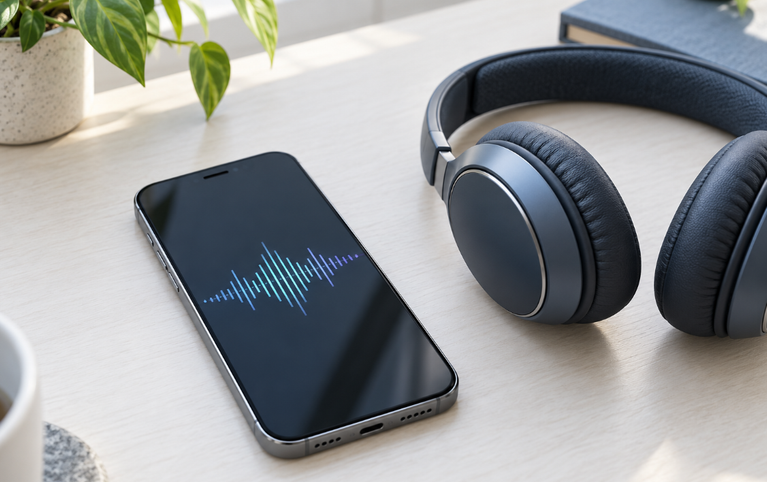

If your phone speaker crackles, first lower the volume and compare a different recording at a comfortable level. Crackling can involve the source audio, an app, processing, an accessory connection, or the speaker itself. It is not proof that water is trapped, and a harsh repeated noise is a reason to stop testing rather than turn the volume higher.
This guide focuses on rough, buzzing, or intermittent playback. It does not provide a sound generator or a way to repair internal speaker damage.
Describe the Noise Before Choosing a Fix
Does the noise occur at exactly the same moment in one recording? Only during a call? Only through a connected accessory? Or across several unrelated recordings through the handset?
Those distinctions matter more than whether you call it crackling, fuzzy audio, or a rattle. A useful description tells support when the symptom appears and which output produces it.
A Short, Controlled Comparison
- Lower the volume to a comfortable level.
- Play a brief known-clear speech recording.
- Compare a different recording, preferably from another app.
- Check a locally available file if a stream is the only source affected.
- Compare another output device when available.
- Stop if every comparison produces strong distortion or the device behaves unusually.
Do not play a frequency sweep repeatedly to “find the broken frequency.” A listening impression cannot identify a damaged membrane or electrical component.
What the Pattern Suggests
| Pattern | What to investigate |
|---|---|
| A click occurs at the same point in one file | The recording or its playback path |
| One app is affected | App settings, updates, and a second source |
| A stream breaks up but a local file is clear | Connection or streaming behavior |
| Only an external device crackles | That accessory, its connection, and another source |
| The noise reduces at lower volume | The playback level; this alone does not rule out damage |
| Calls crackle but local recordings are clear | Call connection, receiver path, or the other person’s audio |
| Several sources distort after a drop | Possible device damage requiring inspection |
Treat the table as a way to choose the next comparison, not as a diagnosis.
1. Check Whether the Noise Is in the Recording
If possible, play the same file through another known-working device. A sound repeated in the same place is worth checking before you blame the phone.
A homemade recording adds another uncertainty: microphone handling, wind, or the recording environment may be responsible. Compare it with a source that was previously clear.
Save a note of the file and approximate timestamp if you later request app support. That lets someone reproduce the symptom without asking you to describe a noise from memory.
2. Separate High-Volume Distortion from Persistent Noise
Google notes that some music distorts when played loudly and advises comparing different songs, videos, and apps during troubleshooting. That supports a cautious comparison, not a rule that reducing the volume always fixes hardware. Google’s sound guidance
If the sound is acceptable at a comfortable level but harsh near maximum, stop the maximum-volume experiment. Do not add a booster or another layer of bass enhancement to overcome the noise.
If a recently selected audio preset coincides with the problem, note it and compare with the default. Change one setting at a time so you can identify whether it affected the result.
3. Check the Actual Output Device
Disconnect an external device temporarily if you want to listen through the phone. If the noise disappears, investigate the accessory separately.
For wired accessories, inspect connections without forcing or scraping them. For a wireless accessory, compare another audio source and its manufacturer troubleshooting process. Do not clean the phone grille to solve an accessory-only noise.
4. Treat Drops and Liquid Exposure Differently
A noise that follows a hard drop deserves a different response from a single faulty stream. Avoid pressing on the grille or opening the phone to look for a loose part.
If liquid exposure preceded the change, use the phone-in-water handling guide. Drying precautions come before repeated audio comparisons. Noise does not reveal whether moisture is near an opening or elsewhere inside the device.
A cleaning sound cannot repair a torn component, corroded connection, or impact damage. Our speaker-cleaner capability explanation distinguishes limited speaker-moisture use from repair.
5. Check the Exterior Without Probing It
Look for a case touching the speaker opening or loose material on the exterior. Follow the manufacturer’s cleaning method if appropriate. Stop when debris is not removable by approved exterior care.
Do not use a needle, adhesive material, or a loud tone as a substitute for inspection. Do not infer a damaged speaker from a particular pitch; identifying internal faults requires more than a browser recording.
When to Stop and Get Help
Seek support when several unrelated recordings crackle at comfortable volume, when the issue follows physical damage, or when audio trouble comes with heat, shutdowns, charging faults, or other symptoms.
Report your comparisons: source, app, output, approximate volume, and timing. Apple also directs users with persistent sound issues toward service. Apple’s speaker support page
Frequently Asked Questions
Why is my speaker crackling only during music?
Check the recording, volume, and processing before assuming damage. Compare speech and another music file at the same comfortable level.
Can water cause phone-speaker crackling?
Liquid exposure can accompany audio changes, but crackling does not establish that a removable droplet is the cause. Follow drying guidance before more playback.
Does clearer headphone audio prove the phone speaker is broken?
No. It narrows the affected playback path, but obstruction, routing, processing, or hardware may still be involved.
Will a restart repair crackling?
A restart may help a temporary software state, but it cannot repair physical damage. Save your work and avoid restarting an unstable or hot wet device repeatedly.
Should I keep playing tones until the noise stops?
No. Repeated harsh playback is not a diagnostic requirement and does not provide a reliable repair method.