
To test your phone speaker, disconnect external audio devices, set a comfortable media volume, and play a familiar speech recording followed by a music clip. Compare the same audio in another app, then check a normal call and speakerphone separately. If you need to check stereo channels, use an audio sample that identifies left and right rather than guessing from an ordinary song.
You do not need to start with a repair app, a loud tone, or a factory reset. A useful speaker test compares a few controlled conditions so you can describe what is wrong before trying to fix it.
This guide explains listening checks you can perform with existing recordings and device controls. It does not contain an interactive audio player or automatically diagnose your phone.
Before You Begin
Choose a quiet room and keep the phone in the same position for each comparison. Start with the volume low, then raise it only until speech is comfortable to hear.
Disconnect wired headphones and USB audio accessories. Temporarily disconnect Bluetooth devices if you want to check the phone’s built-in speakers. Confirm the selected audio output: a connected accessory can receive sound even when you expect the phone to play it.
Remove a case that covers an audio opening. Do not insert anything into the speaker grille or cover one opening to force sound through another.
If the phone has recently been submerged, is overheating, or is behaving abnormally, stop and follow the manufacturer’s guidance. Repeated playback is not a way to establish that a wet phone is safe to use.
1. Start with a Familiar Voice Recording
Play a short recording with clear speech: a podcast passage, an audiobook sample, or another recording you know well. Listen for intelligible words, interruptions, buzzing, or unexpectedly low volume.
A familiar recording is helpful because you already know how it should sound. An unfamiliar clip may contain distortion or background noise that has nothing to do with your speaker.
Avoid using a freshly recorded voice memo as your only reference. If your phone’s microphone captured poor audio, playback cannot tell you whether the fault is in the recording or the speaker.
2. Compare a Music Clip at the Same Volume
Next, play a familiar music clip at a comfortable level. Notice whether the sound is broadly clear or whether a specific passage buzzes or drops out.
Do not expect a small phone speaker to reproduce deep bass like a larger speaker system. Missing low bass alone is not evidence of a broken phone.
If you hear crackling, lower the volume. Compare another recording before repeating the same passage. Stop if the sound is harsh or uncomfortable; a maximum-volume test is unnecessary for this initial check.
3. Compare Another App or Playback Source
If possible, play the same recording in two apps without changing the volume or phone position. If that is not practical, compare another known-clear recording and note that the source has changed.
An issue limited to one app or one file may involve its settings, encoding, streaming connection, or the recording itself. Similar symptoms across several unrelated recordings make the device or audio output more relevant to investigate, but still do not prove hardware damage.
For a useful comparison, write down what changed rather than relying on a general impression that the sound seems better.
4. Test Call Audio Separately
During a normal call, listen through the receiver against your ear. Adjust the volume while the call is active, then switch to speakerphone and compare.
Media playback and calls can use different speakers, settings, and processing. A clear music clip does not confirm that the call receiver is working normally. Equally, a poor call can involve reception or the other person’s microphone rather than your speaker.
On Pixel phones, Google explains that the top speaker acts as the call receiver and that the bottom speaker is generally louder. That is a model-specific example, not a requirement that every phone’s two speakers sound identical. Google’s speaker and microphone explanation
5. Run a Left and Right Audio Check When Needed
A left right audio test needs a stereo recording that explicitly identifies each channel. Ordinary music may place a singer in the center, so hearing vocals from both sides does not establish whether the channels are separated.
Use a clearly identified left/right sample from a source you trust. Check that your device’s audio balance is centered and review any mono audio setting before comparing channels. If you change an accessibility setting for the check, restore your preferred setting afterward.
For headphones, wear the L and R sides correctly. For an external stereo pair, check speaker placement and cable connections.
With built-in phone speakers, do not assume the left channel must come from the left edge of the handset. Speaker arrangement, orientation, and processing depend on the model. Not every opening on the bottom edge is a speaker.
A stereo sound test is also different from a 5.1 surround sound test. Two-channel playback does not separately check a center speaker, rear speakers, or a subwoofer.
What Your Results Can Tell You
| Observation | Useful next comparison |
|---|---|
| No media sound | Check media volume, selected output, and another app |
| One recording sounds distorted | Compare a different known-clear recording |
| Music is clear, but calls sound poor | Compare receiver and speakerphone, another contact, and reception |
| Headphones are clear, but phone playback is not | Recheck speaker openings, routing, and multiple recordings |
| Both stereo channels seem to play together | Check mono audio and whether the output supports separate channels |
| One side seems quieter | Check balance and the model’s speaker design before assuming failure |
| Several unrelated recordings crackle at comfortable volume | Stop repeated tests and seek manufacturer troubleshooting or service |
These are troubleshooting clues, not pass-or-fail measurements. Listening checks cannot measure every frequency, reveal internal corrosion, or establish that the entire device is working normally.
If Sound Is Quiet or Muffled
Inspect the exterior of the speaker and receiver openings in good light. A case, screen protector, or visible debris may affect what you hear.
Apple recommends checking for blocked or dirty openings and, if necessary, using a small, clean, dry, soft-bristled brush. Use your own manufacturer’s directions for other phones. Do not push sharp objects or liquid into an opening. Apple’s speaker troubleshooting guidance
For the next troubleshooting steps, see our Fix My Speaker guide. A sound-based tool cannot repair a torn speaker, broken connection, or other physical damage.
Is a Speaker Test the Same as Water Ejection?
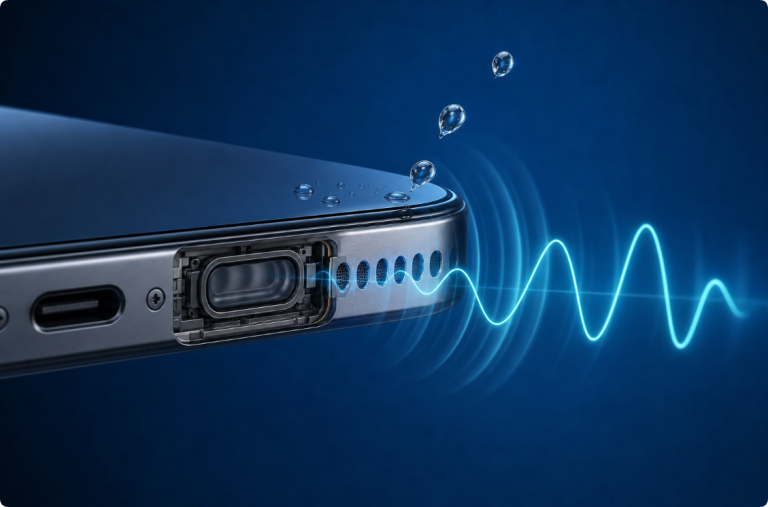
No. Testing helps you compare playback. Water ejection uses a different type of sound in an attempt to move a droplet near a functioning speaker. Neither a test recording nor a water-eject tone establishes that the charging port or internal electronics are dry.
After liquid exposure, prioritize manufacturer-approved handling and drying rather than repeated sound checks. If several functions are affected, contact support. Do not interpret clearer audio as proof that internal moisture is gone.
When to Ask for Help
Contact the manufacturer or a qualified repair provider if the problem persists across different recordings and apps, follows a drop or liquid exposure, or involves damaged openings. Abnormal heat, unexpected shutdowns, swelling, or other device faults are reasons to stop testing.
Explain which output was affected, what you played, whether another app behaved differently, and whether calls or headphones sounded normal. That record is more useful than saying only that a phone failed a speaker test.
Frequently Asked Questions
How can I test my phone speaker without an app?
Play a familiar speech recording and a music clip through the phone’s built-in speakers. Compare another playback source and check call audio separately. For left/right separation, use a recording that identifies the channels.
Can a speaker test tell me whether my phone is broken?
Not by itself. Missing or distorted sound can involve the recording, settings, output routing, blockage, or hardware. Use the results to narrow down the problem rather than treating them as a diagnosis.
Why does one phone speaker sound quieter?
Some phones use speakers of different sizes and roles. Check the manufacturer’s model information and audio balance before deciding that uneven loudness is a fault.
Why is the left and right test audible on both sides?
Mono playback or audio processing may combine the channels. The sample may also not be a properly separated stereo recording. Check the source and output settings.
Should I test with a water-eject sound?
Not as your general reference. Familiar speech and music are more useful for everyday listening comparisons. A water-eject sound serves a different purpose and cannot check every audio component.
Does clear music mean my microphone works?
No. Speakers play sound and microphones capture it. Clear playback does not verify the microphone, call receiver, or every part of the call connection.