
A water-damaged phone can sometimes be repaired, but recovery depends on the liquid, exposure time, whether the phone remained powered, which components were affected, and how quickly safe action was taken. A muffled speaker after a light splash is very different from a phone that was submerged in salt water and then charged.
No sound, app, drying trick, or online tool can guarantee a water-damage fix. Protect the device first, then decide whether normal drying guidance, manufacturer support, professional repair, or data recovery is appropriate.
Quick Answer
Repair may be possible when damage is limited and critical components remain intact. The outlook becomes less certain when:
- the phone was submerged for a long time;
- it was connected to power while wet;
- the liquid contained salt, sugar, soap, or chemicals;
- the display, battery, cameras, charging, and audio all changed;
- corrosion has had time to develop;
- the phone was previously cracked or opened;
- replacement parts are unavailable or repair cost exceeds the phone’s value.
If the exposure just happened, begin with the dropped-phone-in-water first steps before continuing with repair decisions.
What Determines Whether Water Damage Can Be Fixed?
1. Type of Liquid
Fresh water can still damage electronics, but salt water, pool water, soda, coffee, juice, soap, and other contaminated liquids can leave conductive or corrosive residue after the water evaporates.
A phone that sounds normal after contaminated liquid may still develop delayed problems. A speaker-cleaning tone cannot remove residue from connectors or circuit boards.
2. Exposure Time and Depth
A few drops near an exterior speaker grille create a different risk from full submersion. Longer exposure gives liquid more opportunity to enter openings and reach internal components.
Water-resistance ratings describe testing under specific laboratory conditions. They do not guarantee protection from every liquid, depth, impact, repair history, or aging seal.
3. Whether the Phone Was Powered or Charged
Electrical activity while wet can increase the chance of short circuits and contact damage. Plugging in a wet phone “to check whether it works” adds avoidable risk.
If the charging connector may be wet, leave it disconnected and follow the manufacturer instructions. Apple’s official liquid-detection guidance advises airflow and warns against heat, compressed air, foreign objects, and rice.
4. Which Components Were Affected
Speaker moisture may cause temporary muffling. Damage involving the battery, display, charging system, cameras, microphones, or main board can be more serious and expensive.
Multiple symptoms usually point to a broader problem than a single droplet near a speaker grille.
5. Time Before Proper Assessment
A phone can appear to recover and then develop corrosion-related symptoms later. Delaying backup or inspection can reduce options if the device becomes unstable.
Do not keep powering a failing phone on and off to see whether it improves. Repeated tests can consume remaining battery and may complicate data recovery.
Surface Moisture vs Internal Water Damage
| Situation | More likely problem | Appropriate response |
|---|---|---|
| Speaker muffled after a small fresh-water splash; everything else works | Droplet near the speaker grille | Dry externally, allow airflow, and consider a short tone |
| Liquid-detection warning with normal screen and audio | Moisture in the connector | Keep the cable disconnected and follow manufacturer guidance |
| Camera fog, display changes, heat, restarts, or charging failure | Possible internal exposure | Stop routine tests and seek qualified assessment |
| Sticky or salty liquid exposure | Residue and corrosion risk | Do not rely on evaporation alone; seek model-specific service |
| Phone will not power on after submersion | Battery, board, display, or connector damage | Avoid repeated charging attempts and discuss repair or data recovery |
The water in phone speaker guide explains speaker-specific moisture. It should not be used to classify a phone with multiple abnormal symptoms as a simple speaker problem.
What to Do Before Seeking Repair
- Disconnect power and accessories.
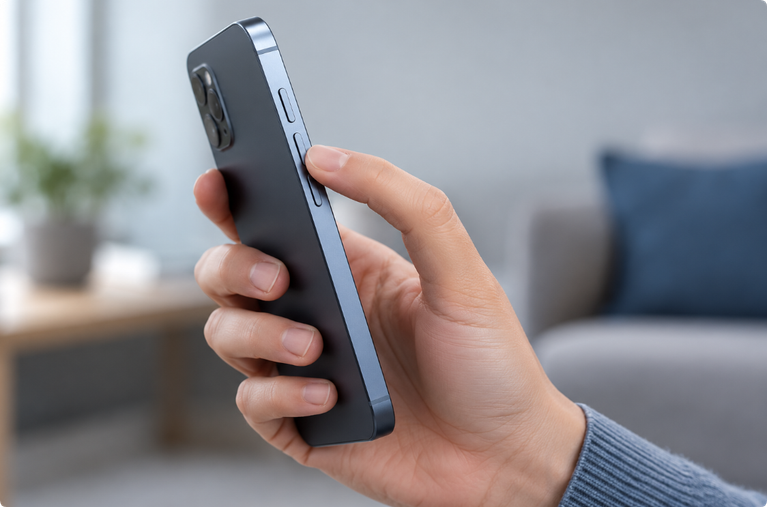
- Remove the case.
- Turn off the phone if it was submerged or is behaving abnormally.
- Wipe the exterior with a soft, lint-free cloth.
- Keep ports and affected openings facing downward when practical.
- Leave the phone in a dry place with airflow at room temperature.
- Record the type of liquid, approximate exposure time, and symptoms.
- Back up important data only if the device is stable and safe to operate.
Google’s Pixel water-protection guidance recommends turning off a phone that fell in water, drying it with a soft cloth, and letting it finish drying at room temperature. Use the current instructions for the exact phone model.
What Professional Water-Damage Service May Involve
A qualified technician may:
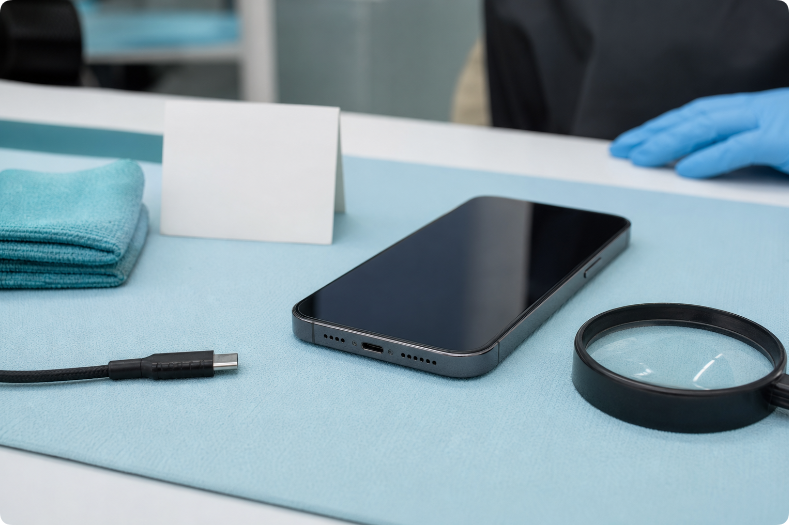
- inspect the exterior and liquid indicators;
- test the battery and power system;
- check the charging connector, display, cameras, microphones, and speakers;
- identify corrosion or residue;
- determine which assemblies require cleaning or replacement;
- estimate repair cost and the likelihood of a stable result;
- discuss data-recovery options when normal operation is not reliable.
This work requires model-specific procedures and battery safety. It is not equivalent to opening the phone at home and wiping visible moisture.
Ask the repair provider:
- whether diagnosis has a fee;
- whether the quote covers parts and labor;
- whether repair preserves or erases data;
- whether replaced parts have a warranty;
- whether water resistance can be restored or tested;
- what happens if the device cannot be repaired.
Is DIY Water-Damage Repair Safe?
Basic external actions are reasonable: disconnect power, remove the case, wipe the phone, orient openings downward, and allow airflow.
Internal DIY work is higher risk. Modern phones may contain:
- glued lithium-ion batteries;
- fragile display and sensor cables;
- seals that require specific replacement;
- components that can retain charge;
- corrosion that is not visible without proper inspection.
Heating, prying, or puncturing a damaged battery can create a serious safety hazard. Unless you have the correct service documentation, tools, parts, and battery training, internal water-damage repair should be left to a qualified technician.
Can a Water-Eject Sound Fix Water Damage?
No. A water-eject sound can only move the speaker diaphragm. It may shift a small droplet near the speaker grille if the speaker is functioning.
It cannot:
- remove moisture from the battery or main board;
- clean corrosion;
- remove salt or sugar residue;
- dry the charging port;
- repair a damaged display or camera;
- make a wet phone safe to charge;
- recover inaccessible data.
The Water Eject Sound tool is an optional speaker step after a minor splash, not a water-damage repair system.
For an iPhone with muffled speaker audio, use the iPhone water-eject guide while following Apple’s device guidance. Do not describe a third-party sound as an official iPhone repair feature.
Warning Signs That Need Professional Attention
Stop normal use and arrange qualified help if the phone:
- becomes hot without heavy use;
- swells, separates at the screen, or smells unusual;
- restarts repeatedly;
- shows display lines, flickering, or touch problems;
- has fog inside camera lenses;
- cannot charge after the recommended drying period;
- produces no sound across calls, media, and alerts;
- loses cellular, Wi-Fi, or Bluetooth connections;
- shows rapid battery drain;
- was exposed to salt water or a sticky liquid.
If the battery appears damaged, do not press the phone closed, apply heat, or continue charging it.
Repair, Replace, or Recover Data?
The best choice depends on the phone’s age, repair estimate, replacement cost, data importance, parts availability, and likelihood of future reliability.
Repair May Make Sense When
- damage is limited to a replaceable component;
- the phone is relatively new or valuable;
- parts and qualified service are available;
- the repair provider can give a clear diagnosis and warranty.
Replacement May Make More Sense When
- several expensive components are affected;
- the battery and board both show damage;
- the repair cost approaches replacement cost;
- the model no longer receives security updates;
- the repair cannot provide reasonable confidence in future reliability.
Data Recovery May Be the Priority When
- important photos or files are not backed up;
- the phone is unstable and normal backup repeatedly fails;
- powering or charging attempts could worsen damage;
- device repair is less important than recovering the data.
Tell the technician that data is the priority before authorizing work. Some repair processes may erase or replace storage-related components.
Can Water Damage Appear Later?
Yes. Residue and corrosion can cause delayed charging, audio, battery, camera, or connectivity problems. A phone that works immediately after drying is not guaranteed to remain reliable.
When the device is stable, back up important data and monitor it over the following days. New heat, battery drain, restarts, camera fog, or connection problems justify further assessment.
Common Water-Damage Myths
“Rice Removes All Moisture”
Rice does not inspect internal components or remove contamination, and particles can enter ports. Use airflow and manufacturer guidance instead.
“If the Speaker Sounds Clear, the Phone Is Dry”
Speaker recovery only describes the speaker area. Other components may still be wet or damaged.
“Water Resistance Means Waterproof”
Resistance is tested under defined conditions and may change with age, impacts, and repairs. It is not unlimited protection.
“A Long, Loud Tone Repairs Water Damage”
A tone moves only the speaker diaphragm. Longer, louder playback cannot repair electronics and may add speaker stress.
Frequently Asked Questions
Is phone water damage permanent?
Not always. Minor speaker moisture may resolve, and some damaged components can be replaced. Serious board, battery, or multi-component damage may be uneconomical or unreliable to repair.
How do I remove moisture from a water-damaged phone?
Disconnect power, wipe the exterior, orient openings downward, and allow airflow at room temperature according to the manufacturer’s instructions. Do not use heat, compressed air, rice, or objects inside ports.
Can a phone work normally after being dropped in water?
Yes, but normal operation immediately afterward does not rule out delayed corrosion or residue. Back up important data when the device is stable and monitor for new symptoms.
Should I charge a water-damaged phone to test it?
No. Do not connect power while the charging port may be wet. Follow the manufacturer’s drying guidance and any liquid warning on the device.
Can a silent speaker be fixed with a cleaning sound?
No sound can play if the speaker or audio system is not producing output. Use the phone no-sound troubleshooting guide and seek service when basic checks fail.
Editorial Note
This article provides general consumer information, not a repair guarantee. Water-damage outcomes vary, and manufacturer or qualified service guidance for the exact model takes priority.